If you ever need to use the Graph API to access any kind of email related content, the first place you’d usually look is the Graph Mail API. However, if the emails or calendar events you need to access are stored in a Microsoft 365 Group’s mailbox, you’ll notice quite quickly that accessing their content is not supported by this API. But that doesn’t mean it’s impossible.
I recently came across a claim that the Graph API doesn’t support group mailboxes. But I knew that there must be some way to access group emails since I already did that through Power Autmate for this blog post. In fact, the first version of this flow used a shared mailbox that was subscribed to receive all emails sent to the group in its own mailbox and the flow accessed the Teams voicemails from there. But later I figured out how to access them directly. Although we can’t always see what requests Power Automate performs, a lot of them use Graph under the hood which led me to believe that there must be a way to do it from Graph as well.
Group Conversations API
Emails in group conversations are structured differently than in user or shared mailboxes. They are accessed by their conversation, thread and post IDs. A post is basically the equivalent to a message in the normal Graph Mail API.
Group Conversation Example
First, I define my group ID in $groupId.
| |
I’ll use the same group ID throughout this blog. With the code below, I can list group conversations in a group mailbox. Note that the result is usually paginated and that you’ll need to fetch all pages. But in this blog post I’m keeping it easy and only ever select one example email.
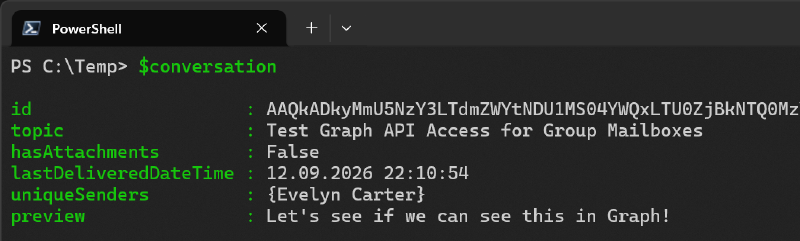
This will fetch the list of conversations in the specified group and select the first one as an example.
| |
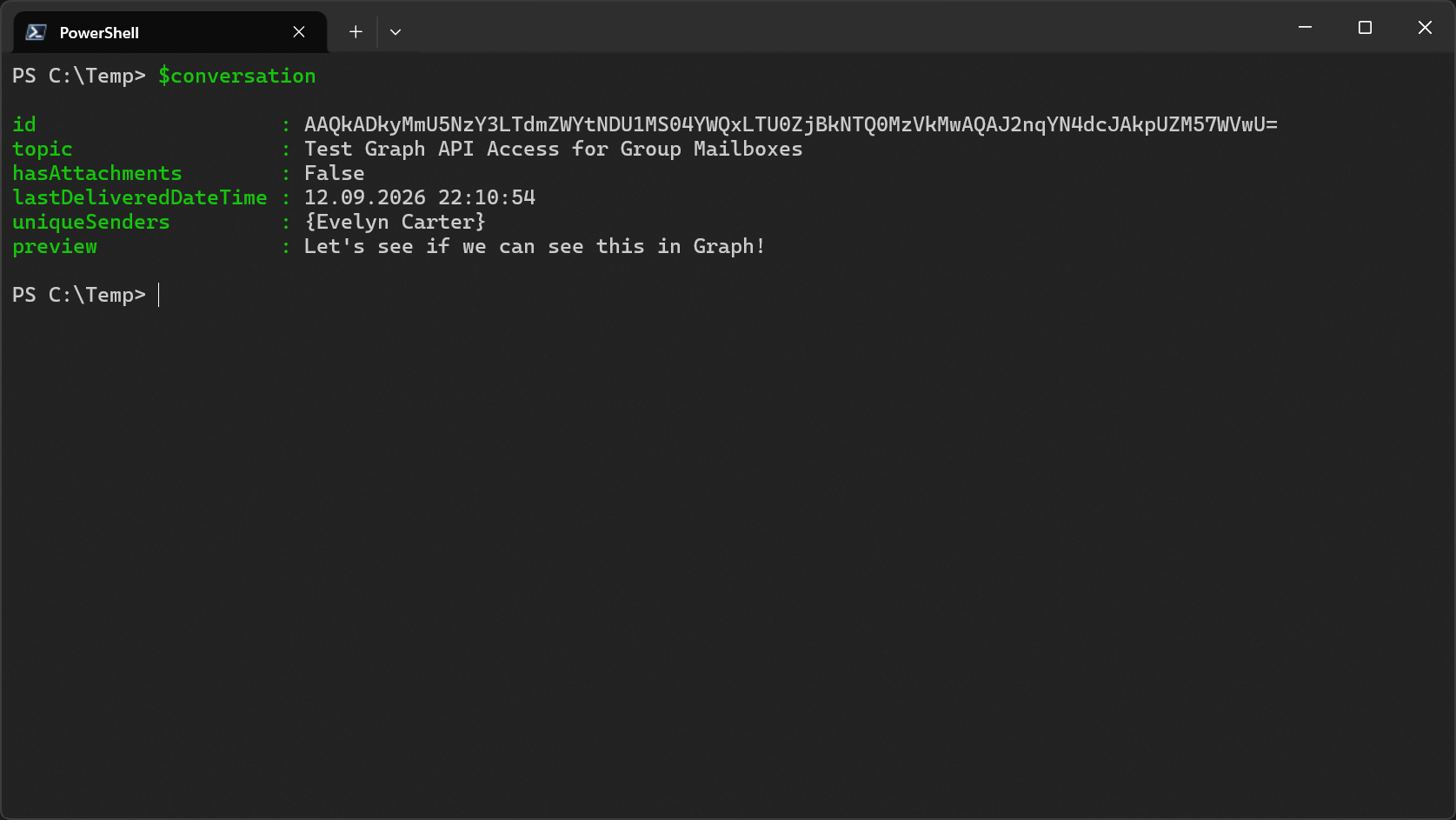
Since I know know the group ID, I can fetch its threads.
| |
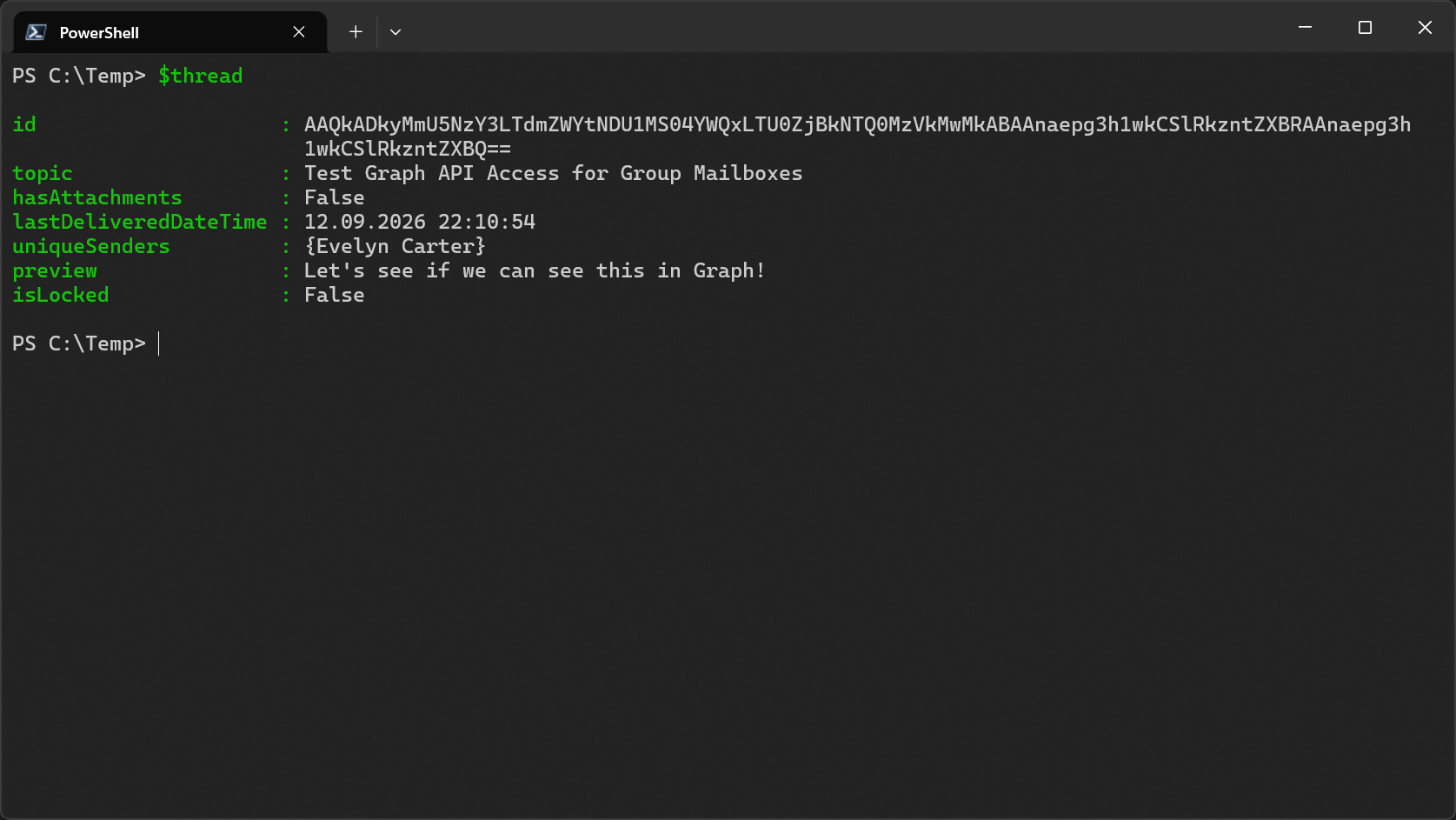
And with both the conversation and the thread ID I can finally fetch posts (emails).
| |
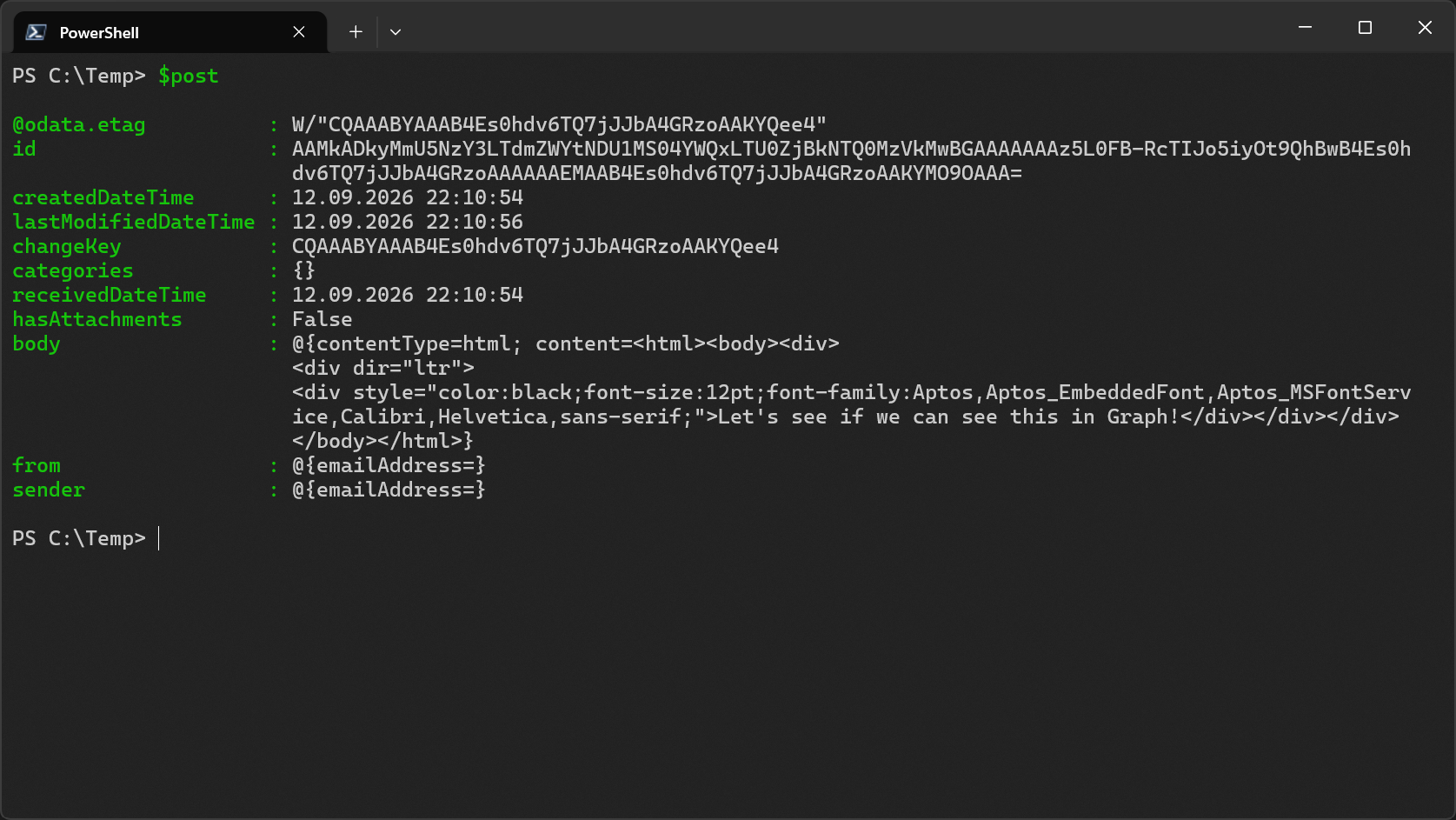
As you can see, each output contains slightly different data. So, to get a complete view of that email, I need to stitch it together.
| |
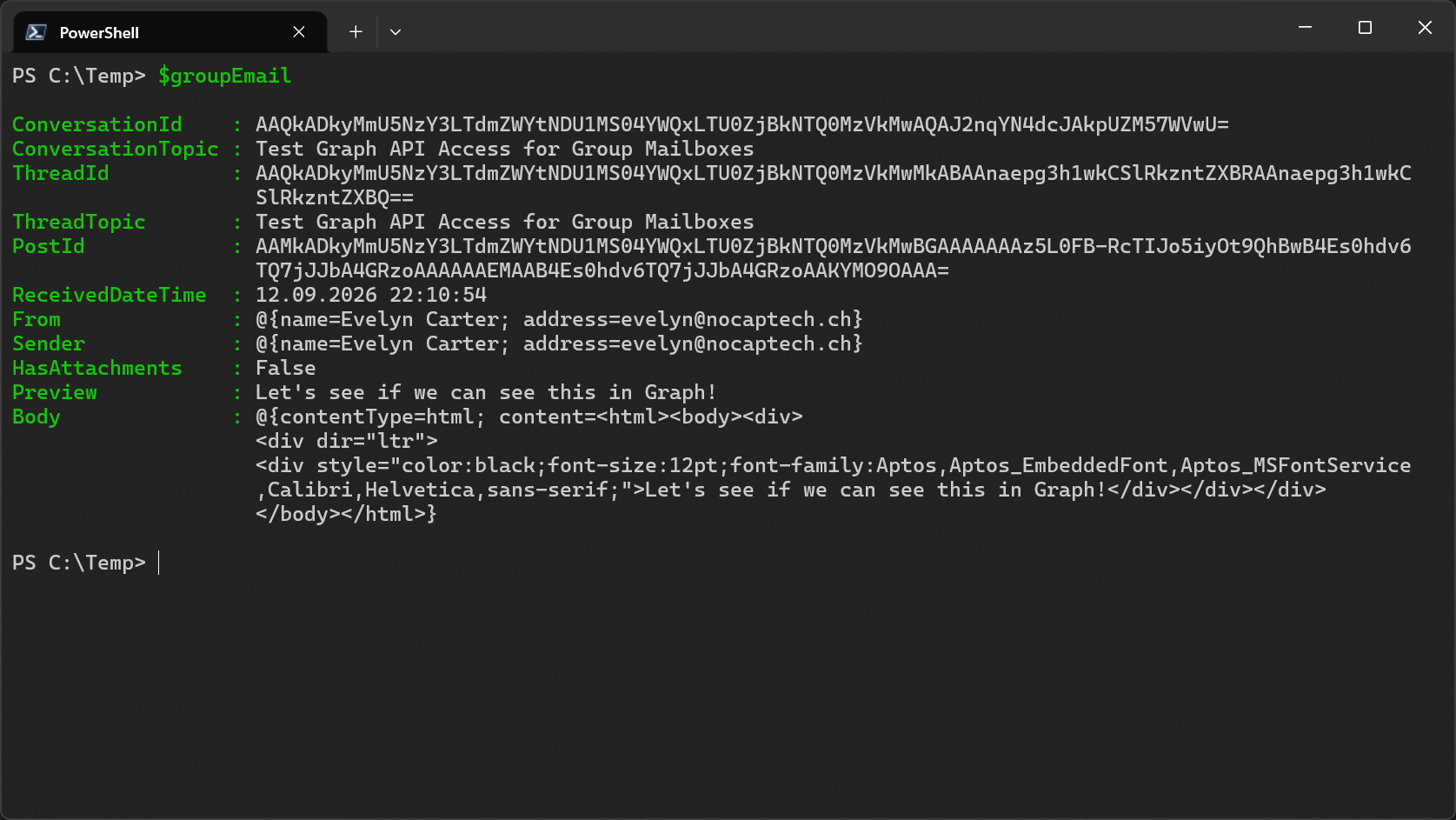
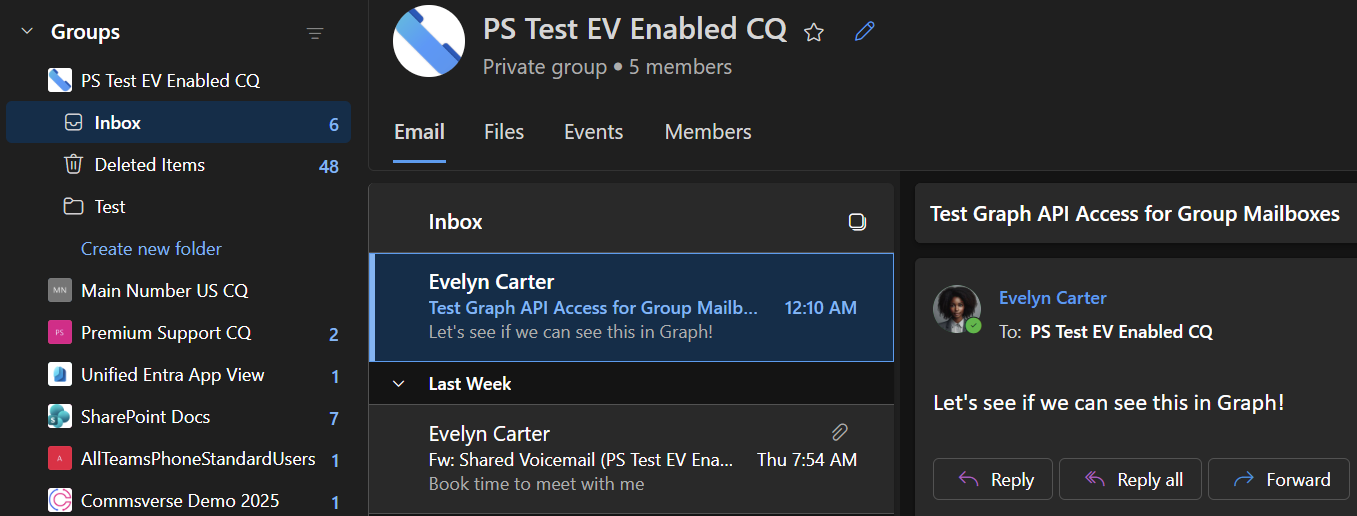
Caveats of Group Conversations API
The conversation endpoint only enumerates items from the Inbox. Once emails are moved out of there, they’re not returned anymore. It also only indicates if the message has attachments or not. Actually accessing them is only possible with delegated authentication which I did not test with Graph in this case as I was performing all tests with application permissions only. However, the blog post about the Teams Shared Voicemail flow I referenced earlier kind of already proves that it’s possible to access attachments with delegated permissions.
What Else is Different With Groups?
Group mailboxes are quite different to normal mailboxes. For example, support for rules and custom folders must be turned on at the organization level. This process is described here on Microsoft Learn.
With a tenant’s default settings (custom folders and rules disabled), a group mailbox only exposes the Inbox and Deleted Items folder in Outlook even though the mailbox technically still contains standard folders such as Calendar, Contacts, Drafts, Archive, Tasks and so on. But getting their contents through the Graph API is not very straight forward. That’s what I’m writing about today.
Exchange Online PowerShell can get a group mailbox’s folder statistics but not its actual mailbox folders.
| |
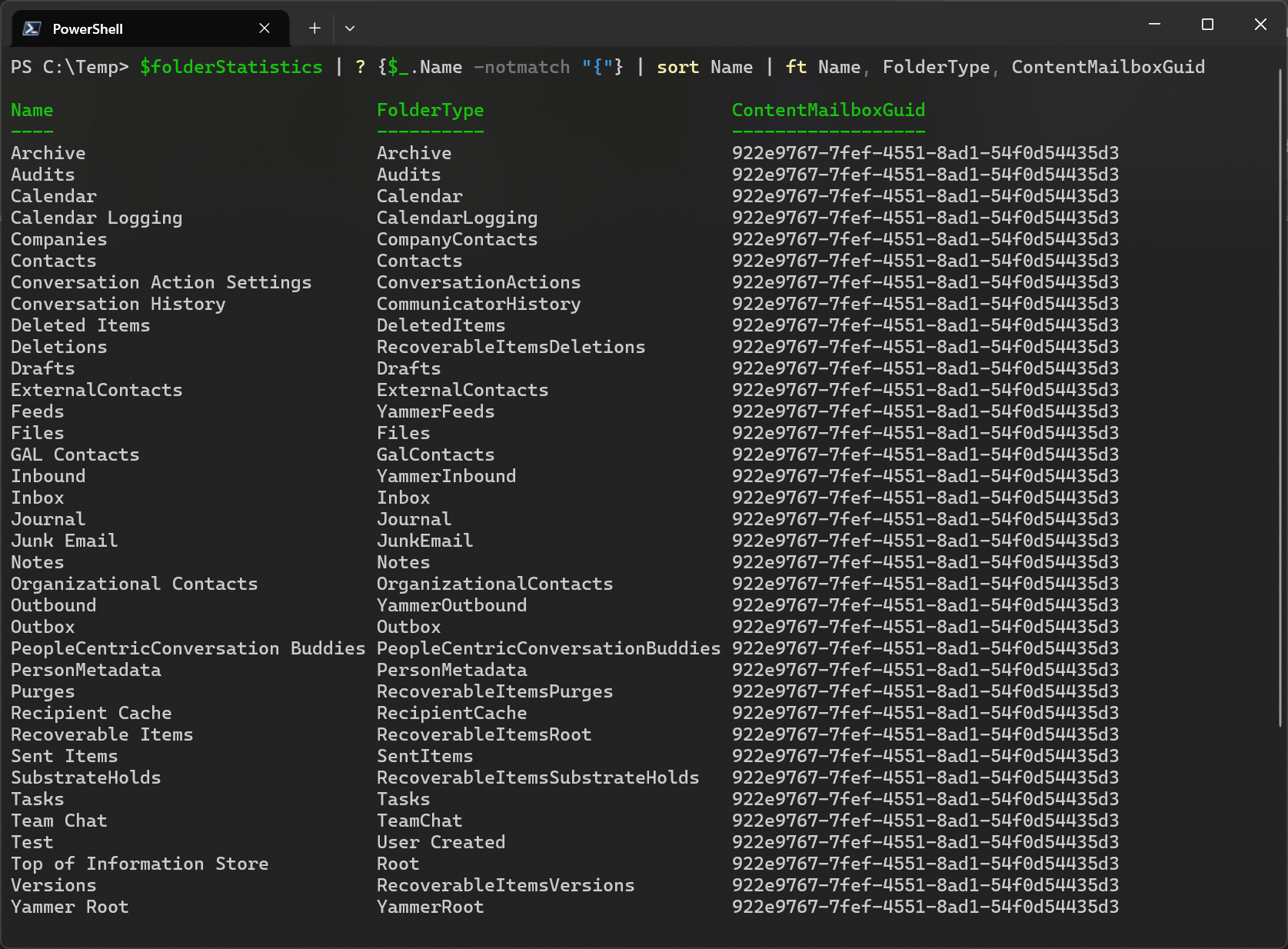
As you can see, there is way more than what Outlook shows us. But you could argue that this applies to normal mailboxes as well.
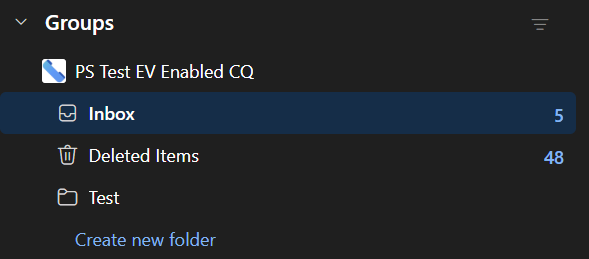
I enabled custom folders and created a folder called Test in my test group mailbox and I’ll walk you through how you can access emails through Graph in folders other than Inbox as well.
Pay attention to the ContentMailboxGuid above. In this case I got it through Exchange PowerShell but I’ll show you how you can get it from Graph as well. We’ll need this to fetch messages from Graph later.
Endpoints and Permissions Map
Below is a map that shows which endpoints I used to get what kind of content, which IDs need to be known before the API request and what permissions it needs.
| Endpoint | What I get | ID I need | Application permission | Delegated permission |
|---|---|---|---|---|
GET /groups/{groupId}/conversations | Conversations exposed by the normal group conversation collection | Group ID | Group-Conversation.Read.All | Group-Conversation.Read.All |
GET /groups/{groupId}/conversations/{conversationId}/threads | Threads in an enumerated conversation | Group and conversation ID | Group-Conversation.Read.All | Group-Conversation.Read.All |
GET /groups/{groupId}/conversations/{conversationId}/threads/{threadId}/posts | Posts in an enumerated thread | Group, conversation, and thread ID | Group-Conversation.Read.All | Group-Conversation.Read.All |
GET /admin/exchange/mailboxes/{mailboxId}/folders | Mailbox folders, including custom folders, Deleted Items, and Calendar | Exchange mailbox ID | MailboxFolder.Read.All | MailboxFolder.Read |
GET /admin/exchange/mailboxes/{mailboxId}/folders/{folderId}/items | Items and selected MAPI properties from any discovered folder | Exchange mailbox and folder ID | MailboxItem.Read.All | MailboxItem.Read |
GET /groups/{groupId}/conversations/{conversationId}/threads/{threadId}/posts/{postId} | One post directly, including a post no longer returned by conversation enumeration | Group, conversation, thread, and post ID | Group-Conversation.Read.All | Group-Conversation.Read.All |
GET /groups/{groupId}/events | Group event collection | Group ID | Not supported | Group.Read.All |
GET /groups/{groupId}/events/{eventId} | One known group event | Group and event ID | Calendars.Read | Calendars.Read |
Finding the Mailbox GUID from Group Conversations API Results
I showed you before we can get the Mailbox GUID from Exchange’s Get-MailboxFolderStatistics function. Now we’ll use some PowerShell trickery to get it directly from the Graph API.
A conversation ID returned by the group conversations endpoint looks something like this:
| |
I would have expected this to be a normal Base64 encoded string but when I tried to decode it I got nothing. Then I asked GitHub Copilot and I’m going to level with you here and disclose that I did not write this code myself.
| |
As far as I know, this isn’t documented anywhere. But the code above converts a conversation ID to the same Mailbox GUID I found in Exchange Online PowerShell:
| |
The Graph Mailbox Import and Export API
This API is primarily used to import and export mailbox items but I’ve discovered that it can also be used to fetch emails of group mailboxes.
To do that, I need to combine the Mailbox GUID with the tenant ID:
| |
Since I wouldn’t get my custom Test folder in the first result page, I’m using the @odata.nextLink property to paginate through all pages here.
| |
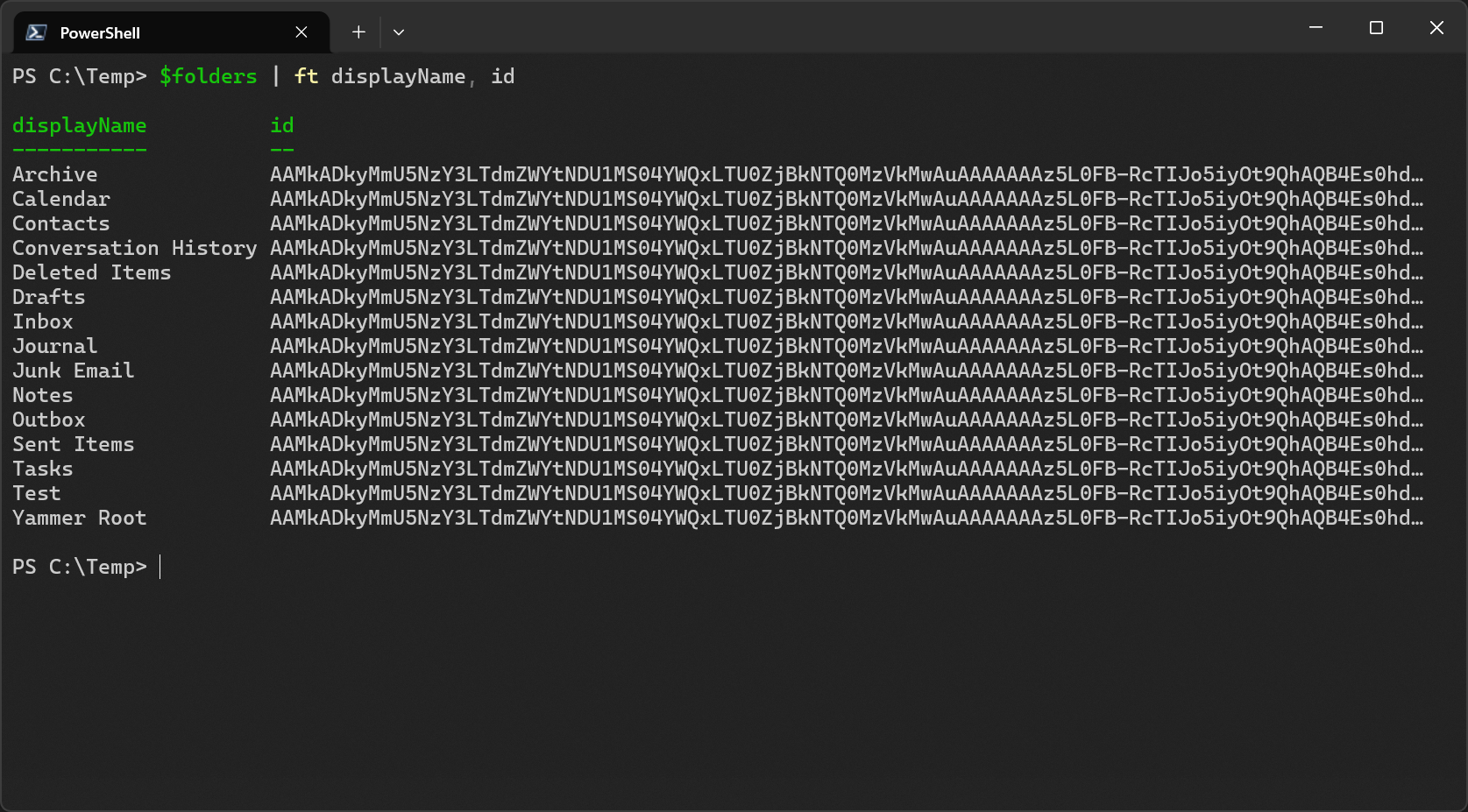
Bingo! I can see all well known folders and my custom Test folder and their folder IDs.
Reading Items from a Group Mailbox Folder
Now let’s inspect that Test folder by first storing its folder ID in $folderId.
| |
This again requires some special sauce for which I used Copilots help.
| |
The MAPI properties translate like this:
| Property | Meaning |
|---|---|
String 0x0037 | Subject |
String 0x1035 | Internet message ID |
String 0x1000 | Plain-text body, observed truncated at 255 characters |
Binary 0x1013 | HTML body encoded as Base64 |
Boolean 0x0E1B | Whether the item has attachments |
Binary 0x3013 | Conversation ID hash used to reconstruct group IDs |
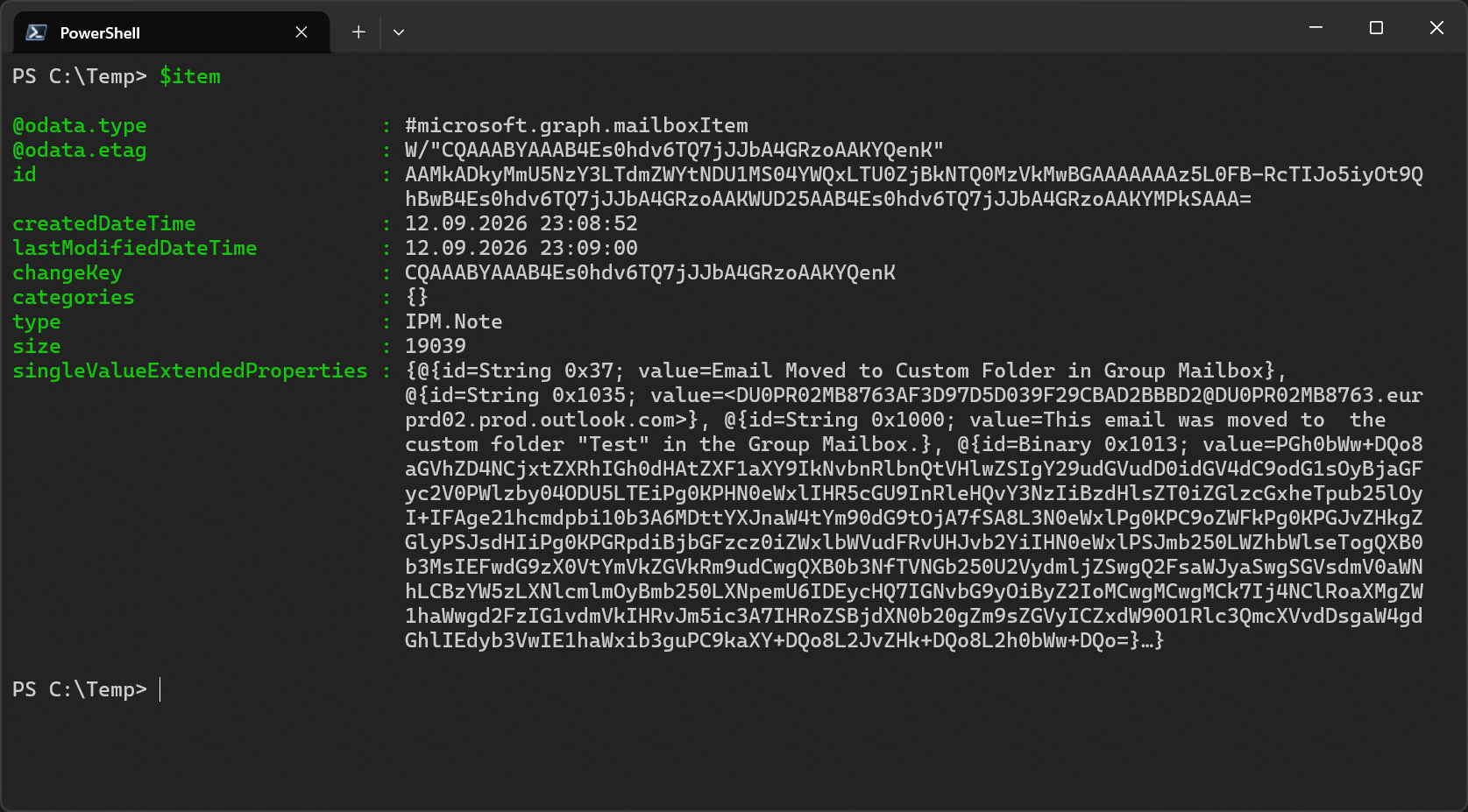
As you can see the $item includes the most important information such as the subject and body.
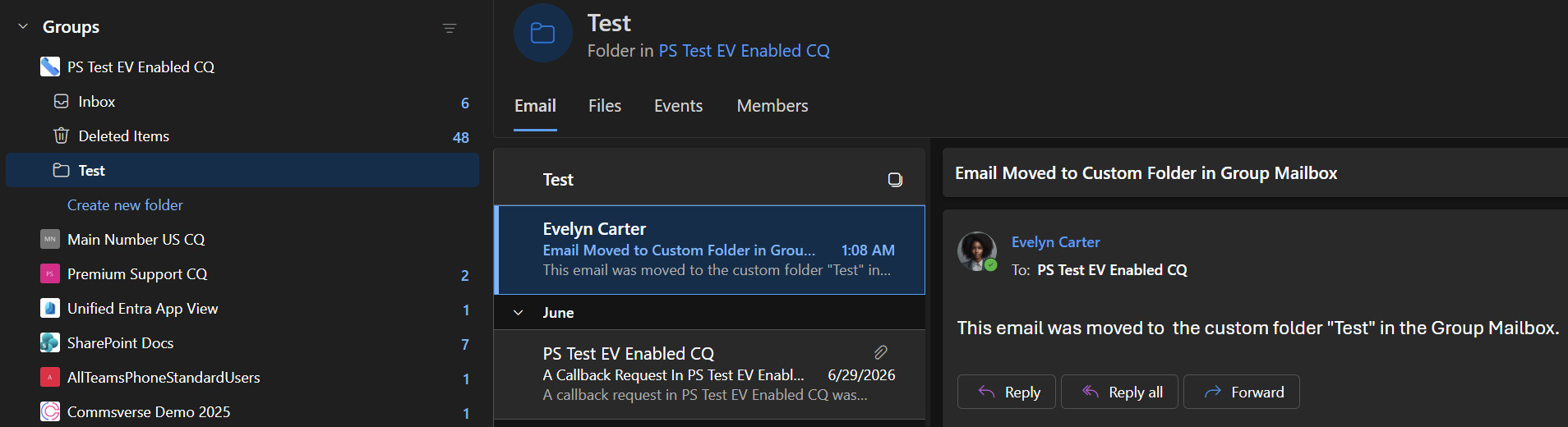
Retrieving a Non-Enumerated Post Directly
I already mentioned that the group conversations API only returns emails that sit in a group’s Inbox. But what if we know the group email’s post ID?
We can see the post ID in the $item properties above already. But we still need the conversation and thread ID. Let’s call our friend Copilot to help us out again.
| |
Now I have all 3 IDs. Let’s put them to the test and call the group conversations endpoint with them directly.
| |
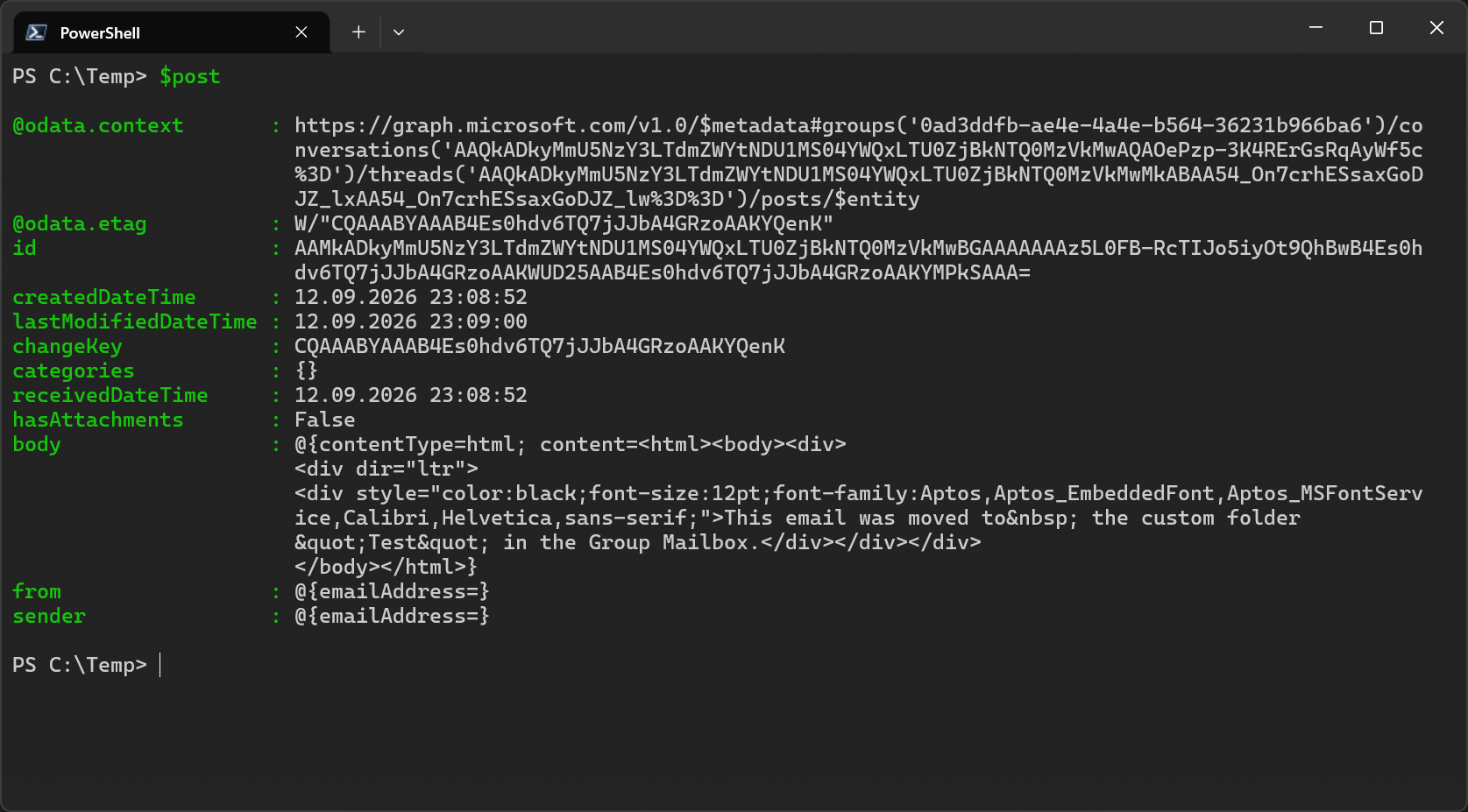
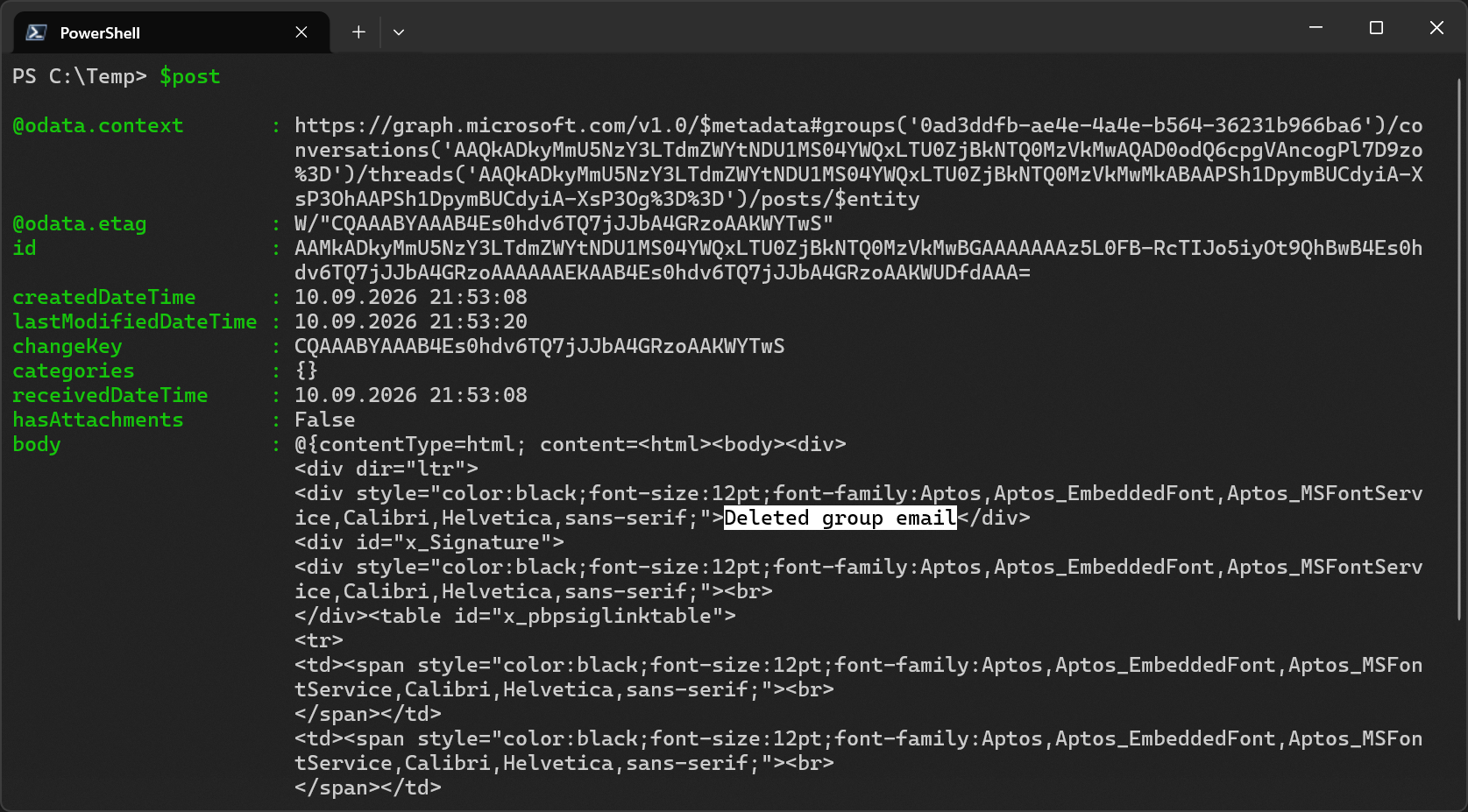
It works! And it also works with the shorter route by only using /groups/threads/$encodedThreadId/posts/$encodedPostId. So, in other words, the group conversation/thread endpoint only return items from the Inbox in their list operations but if you know at least a thread and post ID, you can also use this endpoint to fetch group emails from other folders such as custom folders or Deleted Items.
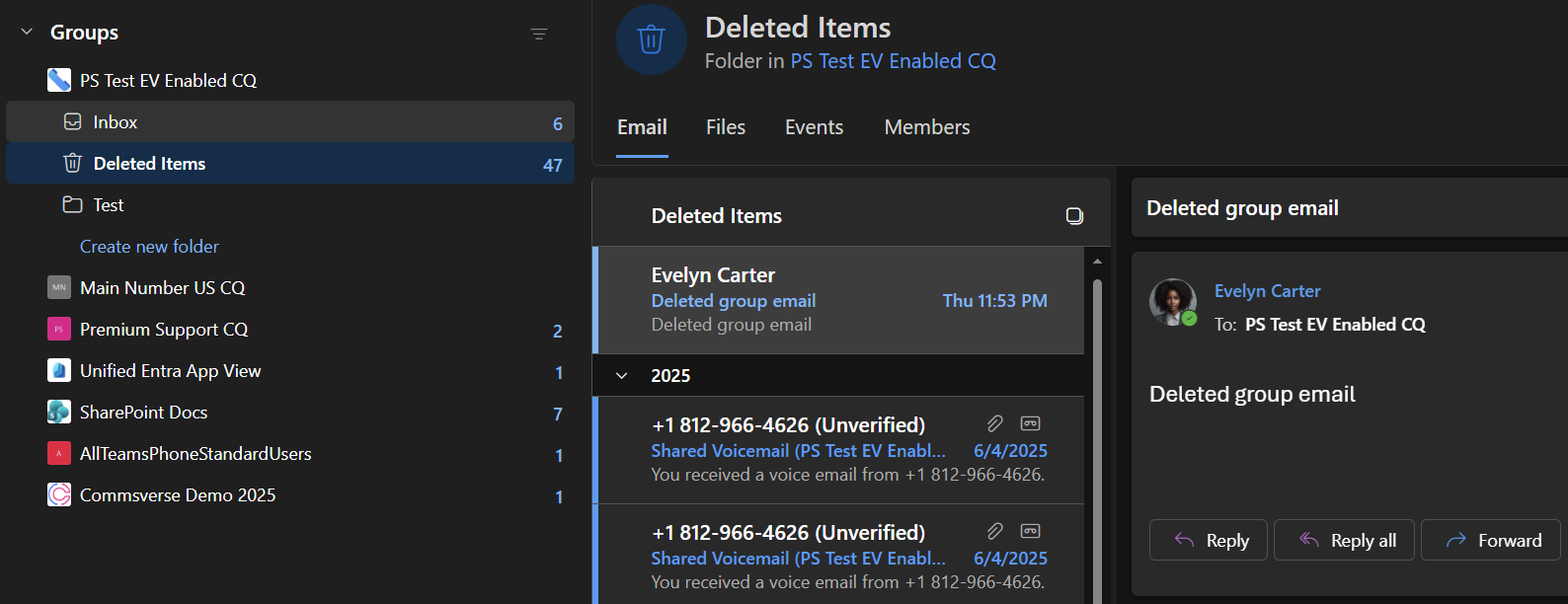
Here’s an example of getting an email through Graph from Deleted Items.
Getting Group Calendar Events
Like Conversations, the Groups API also officially supports Events. But this endpoint only supports delegated permissions for its enumeration/list events operation.
But if I get an event ID from the /admin/exchange/mailboxes API first, I can query the Group Events endpoint with application permission as well.
| |
$calendarItems returns IPM.Appointment objects and their IDs work to call the Group Events API directly with application permissions.
| |
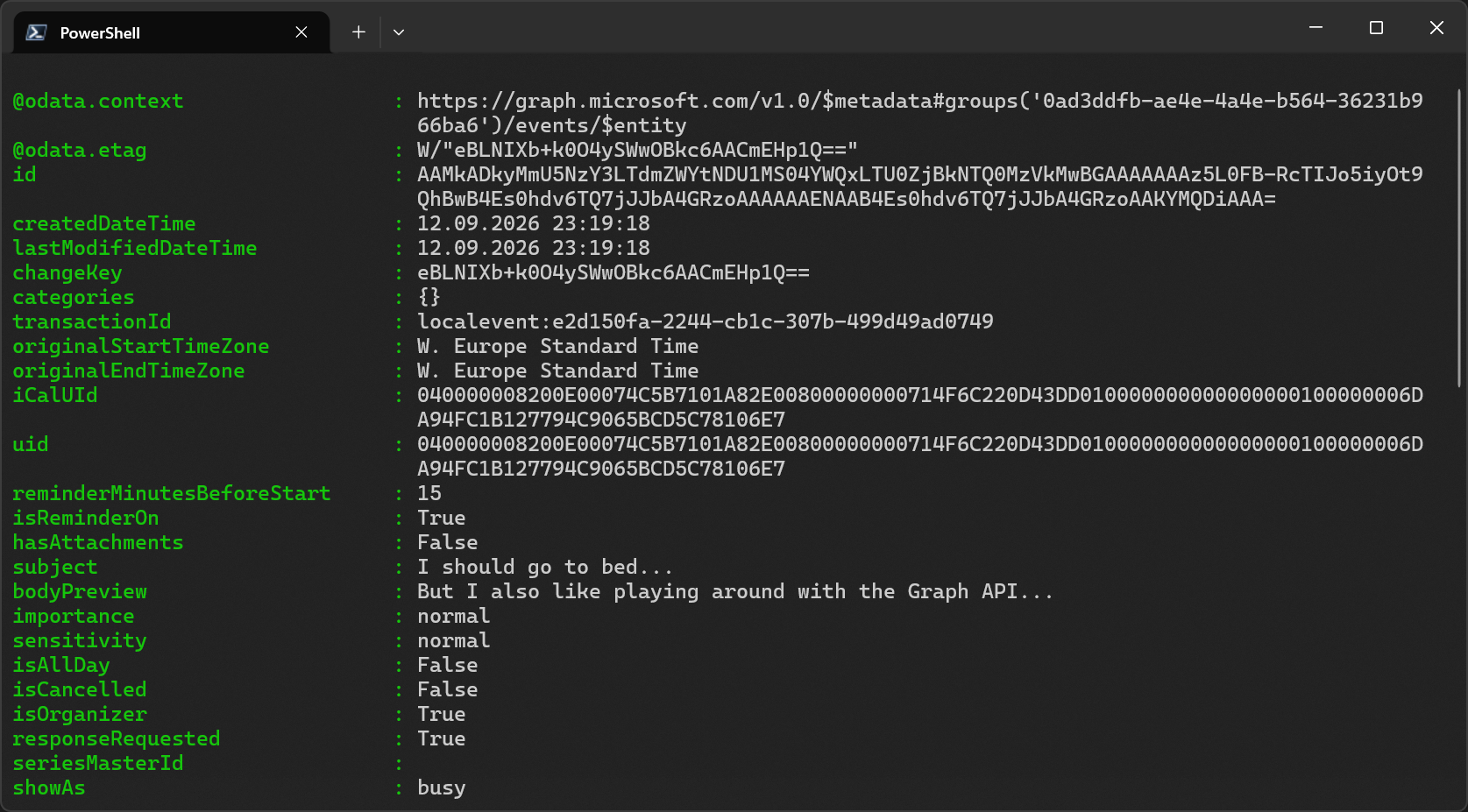
The Group Calendar endpoint works as well.
| |
Summary
Nobody said that getting group emails through Graph is easy but it’s definitely possible in a limited but reasonable capacity. For example, I wasn’t able to get the MIME/original email content in this way. Getting attachments also comes with some significant limitations as they only work with delegated authentication. In my opinion, what I’ve demonstrated here is better than nothing.
This is a perfect example of how immensely helpful AI coding agents like GitHub Copilot can be in a situation like this. Microsoft Learn is so vast that I’d argue that no human will ever read every single article or even know about each article’s existence. Most services and APIs are documented very well but sometimes it’s still a bit siloed and it can be quite challenging to connect the dots. But this is exactly where AI excels. It can discover, read and understand so many things at once and then use trial and error to discover things that aren’t immediately clear from individual documentation pages or would just take way more time to figure out manually.
Sometimes, a bit of curiosity, persistence and smart prompts is all it takes to get to the bottom of something.
Let me close by saying that using the tricks to decode conversation, thread and post IDs is that Copilot discovered (with a bit of guidance from me) are not documented anywhere. While this should be considered experimental research, it worked reliably in all my tests. The same goes for fetching posts from the /conversations/threads/posts endpoint with known conversation, thread and post IDs directly. I couldn’t find any official documentation that states that fetching emails outside of Inbox is possible but my experiments proved that it is indeed possible. At least for the time being. It’s important to note that these methods may change or be restricted in the future, just keep that in mind.