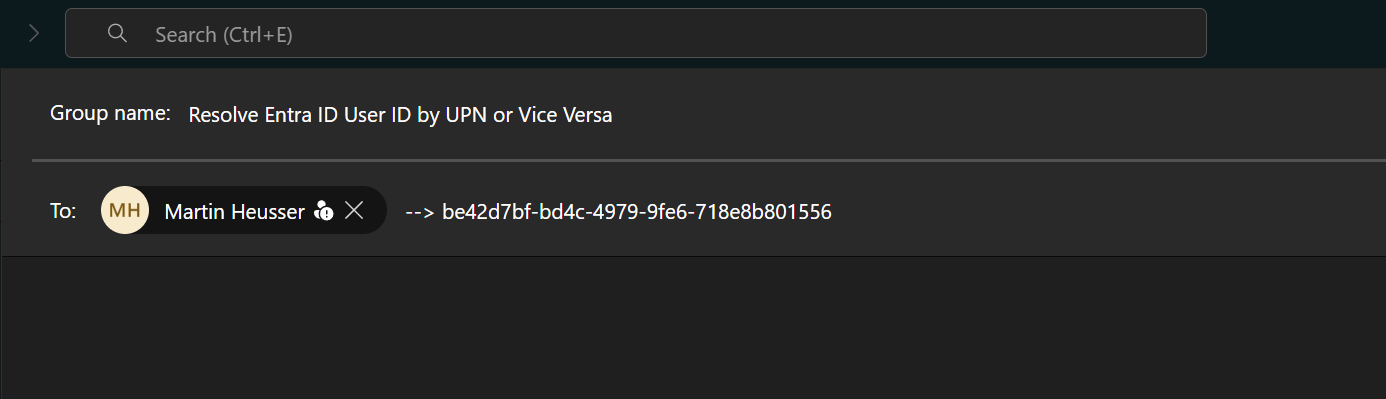
Let me start by saying that this comes with a couple of caveats. This method doesn’t work for all scenarios. But unless any one of the below points are false, you can easily resolve an external email address to the external user’s user ID without them being a guest in your tenant.
Caveats
- External user must have a Teams account
- External Teams communication must be allowed between both tenants
What AI Says
This is a quote from GPT 5.6 inside Microsoft Copilot. (Chat GPT itself said the same.)
If the person is merely an external Entra ID user in another tenant and has not been invited or synchronized into your tenant, you cannot resolve their Object ID from your tenant. Object IDs are tenant-scoped; the same person will have:
A home-tenant user object ID. Potentially a different guest-user object ID in your tenant.
So the answer is:
Yes, if the external user exists as a guest/member object in your tenant.
No, if you only know their email address and they do not have a user object in your tenant.
― GPT 5.6 Think Deeper, 2026-09-02
The Teams Trick
User Principal Name to User ID
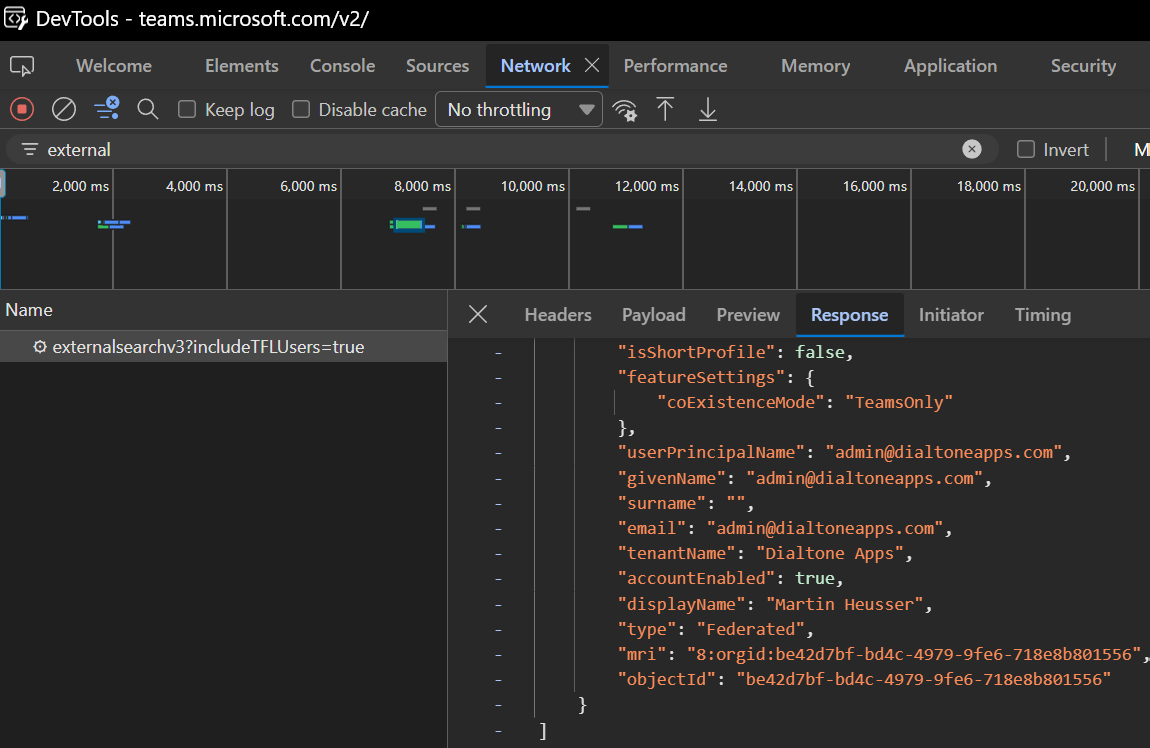
When you start a new chat with an external user from Teams, the client does a background request to check if the user exists and whether or not your organizations are allowed to talk to each other.
If the communication is allowed, the internal Microsoft API returns the user’s object ID which can be inspected in the Teams/Browser dev tools.
The same step can be replicated in Microsoft Graph. In this case it’s using the Graph API chats endpoint and not the internal Teams API.
Although the example on Microsoft Learn only includes the user ID and tenant ID and not the email/UPN and tenant domain, it still works with IDs only.
This is the official example from Microsoft Learn:
| |
You can resolve a UPN to it’s user ID by simply including the tenant domain and user principal name in the request instead:
Delegated Auth
| |
App-Only Auth
| |
This will create a new chat with the external user. While no message is sent (because the command above only creates the chat), it does trigger an incoming chat request for the external user.
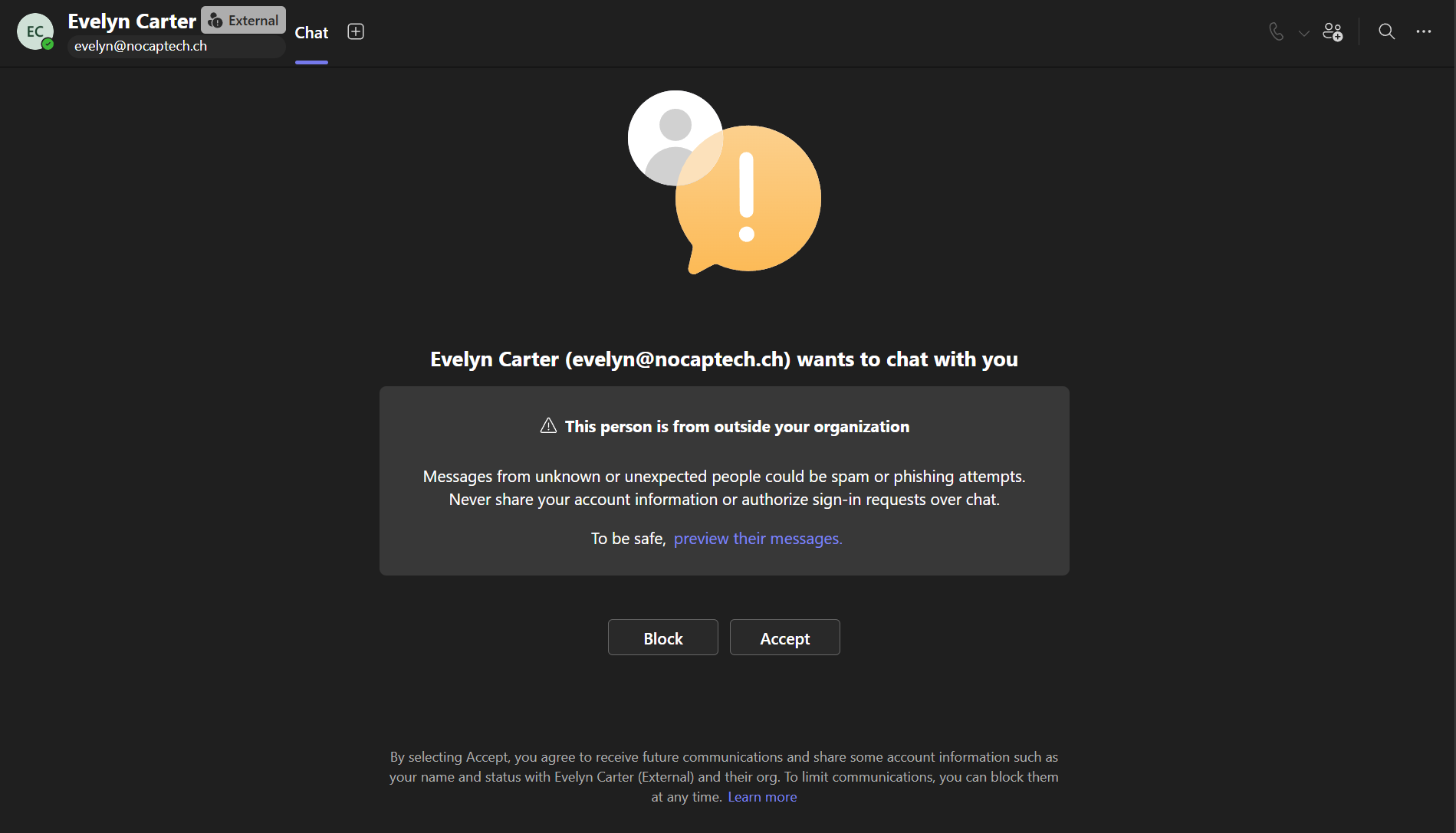
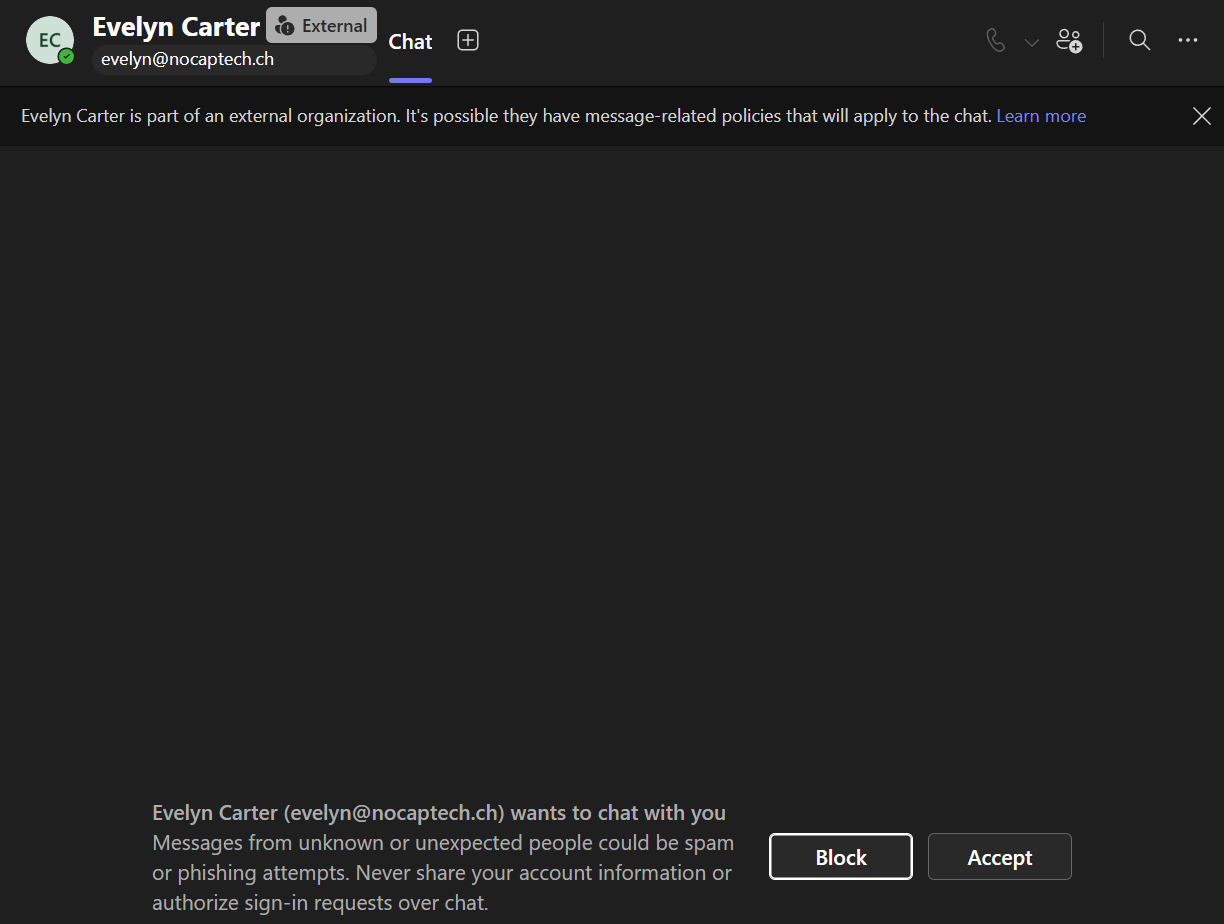
If you do the same from the Teams client, the external user won’t get a chat invite until you actually send a message. That is definitely something to keep in mind when you try to do this at scale. Users of the external tenant will be notified and potentially catch on to you snooping around.
Once the chat exists, even if it’s empty, you can query it via Graph to retrieve its members where you’ll find the external users tenant ID, user ID as well as the email address.
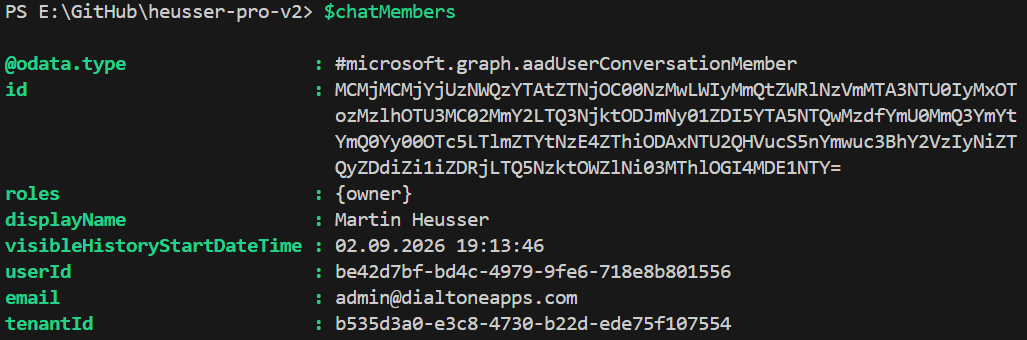
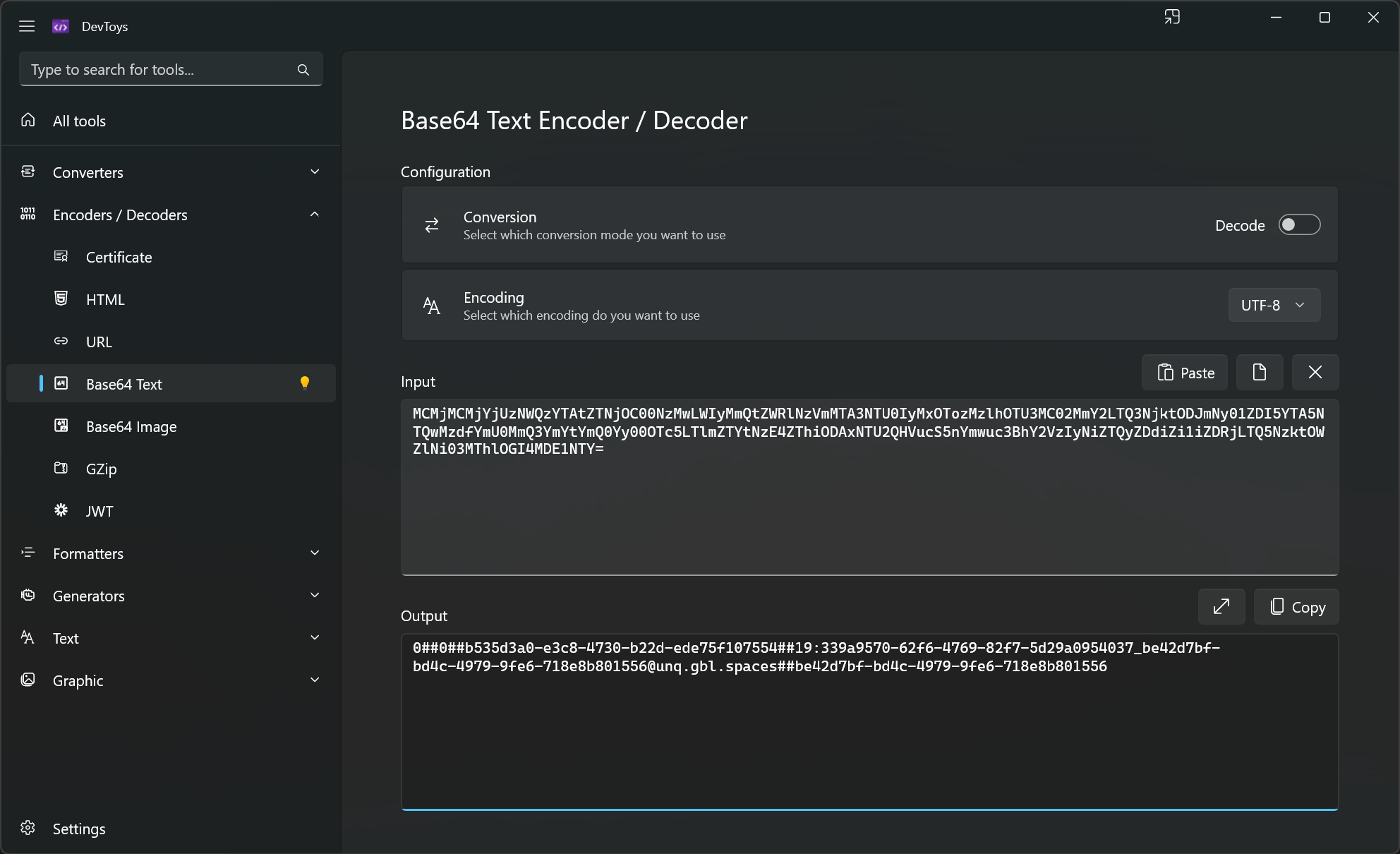
Fun fact: whenever you see something cryptic like the id in the output above, it’s usually a Base64 encoded string. In this case it includes the user ID, tenant ID and chat ID.
If either of the organizations block communication with each other, no Teams user exists or the other org doesn’t use Teams at all, you’ll get a 403 (forbidden) instead.
User ID to User Principal Name
The same process also works in the opposite direction as we’ve already seen in the Microsoft Learn example. Let’s say you come across some sketchy logs in your tenant but all you have is a user ID and a tenant ID but no email address. In that case, you can just swap the domain name and the UPN with the IDs and inspect the chat members to find the UPN that belongs to the external user ID.
Summary
Just because an AI chat bot tells you that something is not possible, doesn’t mean that it’s true. Like I said, if you ever come across a sketchy user ID in logs but can’t see an email address or UPN, you can try and use this trick to potentially find their UPN and domain name.
If you need to find a tenant name/domain based on the tenant ID only, you can use this method or you can use the Tenant ID Lookup Tool. This tool is not created by me though. In fact, I don’t know who created it but it’s great. This tool allows you to look up tenants by ID or domain names whereas older ones like Where’s My Tenant won’t resolve a tenant domain from an ID only.
Keep in mind that when you use Graph to create a chat that the other party will see an inbound chat request. However, if you’re defending against a malicious actor like somebody who’s trying to impersonate help desk personnel or similar, I wouldn’t worry about that too much. In that case you want to know who you’re dealing with at all cost.
Note that I’m using UPN and email address interchangeably in this blog post as they are often the same but don’t always have to be.
There have been some concerns about enumerating tenant IDs and user IDs in certain communities but I think that’s just something that we have to accept at this point. Anybody can look up another tenant’s domain or ID. And as long as you have your Teams external access settings wide open, tenant admins will be able to discover user IDs of external users, even if users aren’t guests in your tenant.